Why Most Teams Don't Need to Rebuild Their CRM
Every few months, a client comes to us with the same problem: their CRM feels dumb. It stores contacts and tracks deals, but it doesn't help the sales team work smarter. The instinct is to rebuild — start fresh with something AI-native.
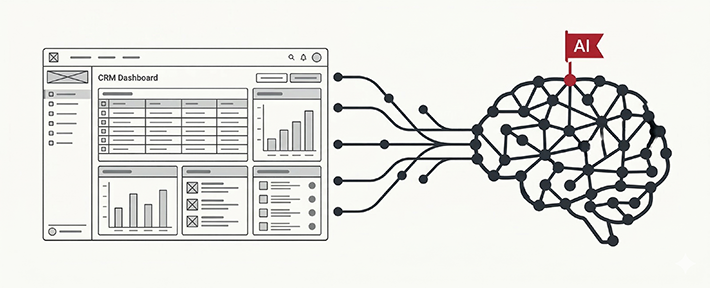
Nine times out of ten, that instinct is wrong. Your existing CRM has everything AI needs: structured data, history, user behaviour, pipeline stages. What it's missing is a thin intelligent layer on top. And that layer is far cheaper to build than a rebuild.
This guide walks through the four AI features that deliver the most ROI with the least disruption — and how to wire them into any CRM backend in days, not months.
This guide assumes your CRM has a backend API (REST or GraphQL). If your CRM is a spreadsheet or a legacy monolith with no API, we'd recommend a different approach — talk to us first.
Feature 1 — AI Lead Scoring
Manual lead scoring is inconsistent. Reps rank leads based on gut feel, and high-value leads get buried under noise. AI scoring fixes this by building a model on your historical deal data — who converted, who didn't, and what signals predicted each outcome.
How to implement it
You don't need to train your own model from scratch. The practical approach is a two-step pipeline:
- Extract signal features from your CRM: company size, industry, source channel, email open rate, response time, number of touchpoints before demo, deal stage duration.
- Pass them to an LLM or a lightweight ML model (even a fine-tuned GPT prompt works surprisingly well for early-stage scoring) to produce a score from 0–100 with a reasoning note.
The score gets written back to a custom field in your CRM and surfaced in the pipeline view. Reps see "Score: 84 — high intent based on 3 demo requests and fast email response" without changing their workflow at all.
Run this nightly via a cron job or trigger it on stage change. Total API cost for a 500-lead pipeline: roughly ₹80–200 per month.
Feature 2 — AI Email Draft Generation
Your reps send variations of the same 20 emails hundreds of times per month. Follow-ups, introductions, meeting confirmations, objection responses. Generative AI can draft these in context — personalised, on-brand, and ready to send with one edit.
The integration pattern
Add a "Draft with AI" button next to the email compose field. On click, it pulls the lead's name, company, last interaction, open deal stage, and any notes from the CRM — and sends a structured prompt to the API.
"We saw a 34% reduction in time spent on outbound emails in the first two weeks. The drafts aren't perfect, but they're 80% there — and editing an 80% draft is 5× faster than writing from scratch." — Anjali Patel, CTO at RetailPro
The key design principle: always put the draft in the compose box as editable text, never auto-send it. Reps need to own the message. AI is the assistant, not the author.
Feature 3 — Smart Alerts and Anomaly Detection
Most CRMs can send scheduled reminders. What they can't do is detect unusual patterns — deals that have gone cold, leads who opened your proposal four times but haven't replied, accounts that were marked hot three weeks ago and have since gone silent.
What to watch for
- Deal velocity slowdown: A deal that normally closes in 14 days has been in the same stage for 21 days.
- Engagement spike without response: Lead opened the email 6 times — this is a buying signal that often goes unnoticed.
- Champion departure risk: The main contact at an account hasn't responded in 30 days, and their LinkedIn shows a new company.
- Win/loss pattern breaks: Your close rate from a particular source channel has dropped 40% this quarter.
These alerts can be implemented without a large model — a combination of rule-based triggers and a small LLM call to generate a natural language explanation ("Deal stalled: Priya last responded 22 days ago. Consider escalating to founder.") makes them genuinely useful rather than just another notification.
Feature 4 — Meeting Summary and CRM Auto-Update
The biggest data quality problem in any CRM is that reps don't log calls consistently. After every sales call, someone has to manually write notes, update the stage, and log the next action. Most don't. AI fixes this at the source.
Connect your meeting tool (Google Meet, Zoom, or even a WhatsApp call transcript) to a transcription pipeline. Pass the transcript to an LLM with a structured extraction prompt. The model returns a JSON with:
- A 3-sentence summary of the conversation
- Key objections raised
- Next steps agreed
- Recommended CRM stage update
- Sentiment: positive / neutral / at-risk
This JSON auto-populates the deal card. The rep reviews and confirms with one click. CRM data quality goes from 40% to 90%+ overnight.
What to Avoid
A few patterns we've seen fail — and helped clients fix:
- Auto-sending AI emails without review. It will embarrass the company eventually. Always require human approval.
- Building a chatbot the reps don't trust. If the scoring or suggestions are wrong too often, reps switch it off. Start with high-confidence features and earn trust slowly.
- Storing raw conversation transcripts in the CRM. GDPR/DPDP compliance aside, it creates data bloat. Store only the structured summary.
- Using the most expensive model by default. GPT-4o mini handles most CRM tasks at 1/20th the cost of GPT-4o. Benchmark before you commit.
The 30-Day Implementation Roadmap
Based on projects we've run, here's what a realistic timeline looks like for a CRM with an existing REST API:
- Week 1: Audit your CRM data quality. Identify the 8–12 fields most predictive of deal outcomes. Set up OpenAI API access.
- Week 2: Build and test the lead scoring pipeline. Deploy to staging. Validate scores against historical data.
- Week 3: Add the email draft button. Tune the prompt with your brand voice. A/B test with one rep team.
- Week 4: Roll out smart alerts. Wire up meeting summary (if you use a supported call tool). Go live.
The best AI feature is the one your team actually uses. Start with the highest-friction daily task — that's where AI pays back fastest.
Closing Thoughts
Rebuilding your CRM to be "AI-native" is a 6–12 month project. Adding these four features to your existing CRM is a 4–6 week project. For most businesses at the 20–200 person sales team stage, the augmentation path wins clearly on speed, cost, and adoption.
If you want to explore this for your CRM, we're happy to do a free technical assessment — 45 minutes, no sales pitch. Book a call here.